vue-element-admin搭建过程中可能会遇到各种各样的安装依赖问题,今天给大家分享一下如何解决这些问题。

1、本地安装node
首先本地安装后nodejs,我本地的版本如下:
PS E:hgmvue-adminvue-element-admin> npm -v
6.14.16
PS E:hgmvue-adminvue-element-admin> node -v
v14.19.1
配置淘宝镜像
#配置npm为淘宝镜像
npm config set registry https://registry.npm.taobao.org
#查看配置是否正确
npm config get registry

2、克隆vue-element-admin项目
本地新建文件夹,比如E:\vue-admin 然后执行命令克隆项目
# 克隆项目
git clone https://github.com/PanJiaChen/vue-element-admin.git
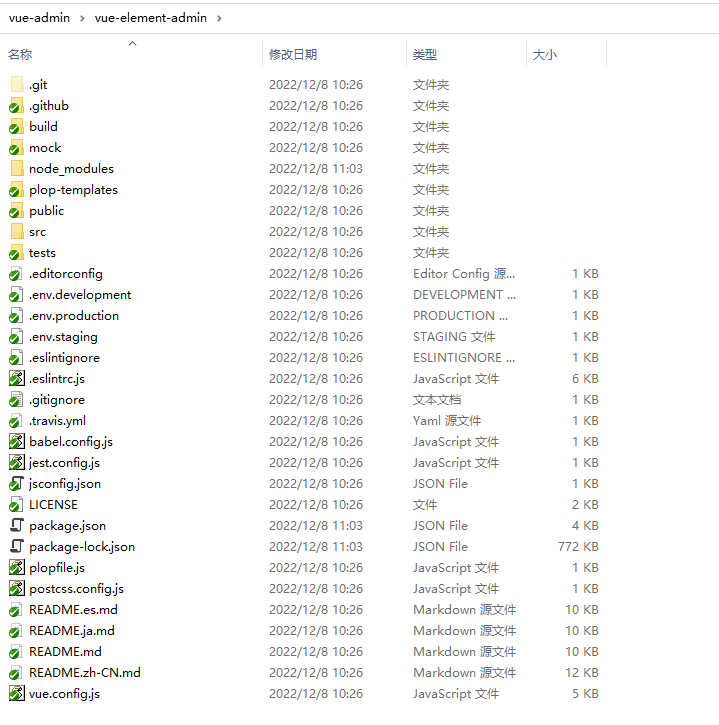
克隆之后文档目录如下
3、处理tui-editor依赖报错
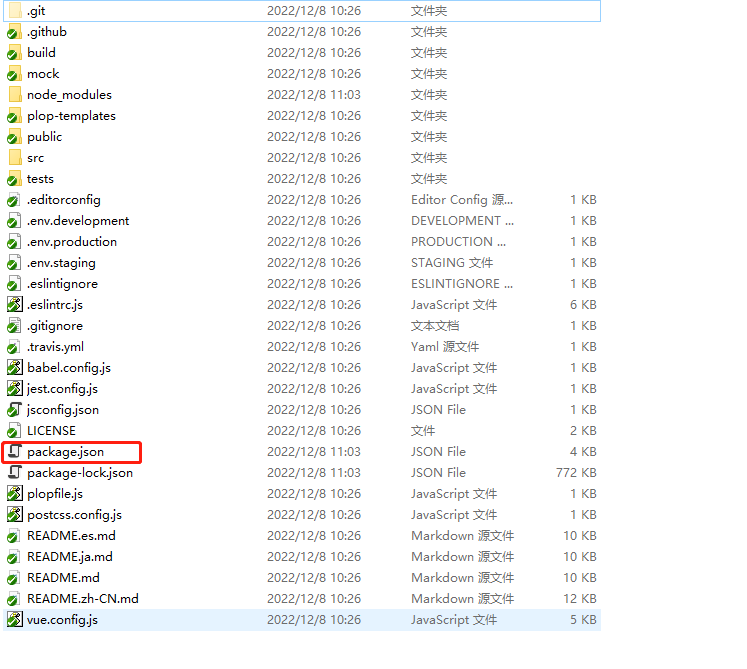
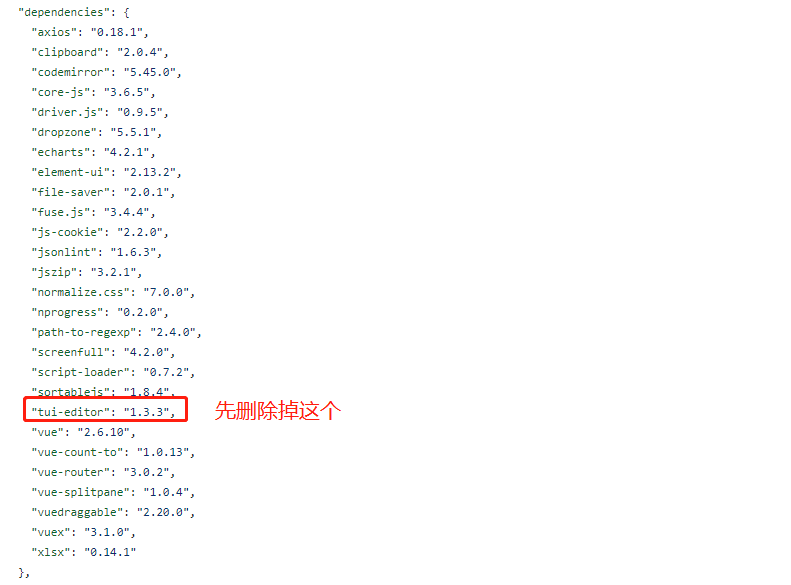
找到package.json 去掉 "tui-editor": "1.3.3"
路径:vue-element-admin的根目录
原因:tui-editor(富文本编辑器插件)更名造成的,现在已经改名为toast-ui/editor并且该文件名和方法名都进行可修改,所以需要手动处理。
修改内容如下:
然后执行单独安装tui-editor
因为vue-element-admin项目依赖tui-editor ,手动执行命令安装就行
npm install --save @toast-ui/vue-editor
4、安装其它依赖包
因为依赖包比较多,安装需要几分钟,大家耐心等几分钟。
npm install
注意:不要使用cnpm命令安装依赖包,会出现各种依赖问题。
5、替换使用tui-editor的内容
路径:E:vue-adminvue-element-adminsrccomponentsMarkdownEditorindex.vue
修改后的index.vue的完整内容,具体如下:
<template>
<div :id="id" />
</template>
<script>
// deps for editor
import 'codemirror/lib/codemirror.css' // codemirror
// 老版本注释掉
//import 'tui-editor/dist/tui-editor.css' // editor ui
//import 'tui-editor/dist/tui-editor-contents.css'
// editor content
//import Editor from '@tui-editor'
//替换为新的
import '@toast-ui/editor/dist/toastui-editor.css';
import Editor from '@toast-ui/vue-editor'
import defaultOptions from './default-options'
export default {
name: 'MarkdownEditor',
props: {
value: {
type: String,
default: ''
},
id: {
type: String,
required: false,
default() {
return 'markdown-editor-' + +new Date() + ((Math.random() * 1000).toFixed(0) + '')
}
},
options: {
type: Object,
default() {
return defaultOptions
}
},
mode: {
type: String,
default: 'markdown'
},
height: {
type: String,
required: false,
default: '300px'
},
language: {
type: String,
required: false,
default: 'en_US' // https://github.com/nhnent/tui.editor/tree/master/src/js/langs
}
},
data() {
return {
editor: null
}
},
computed: {
editorOptions() {
const options = Object.assign({}, defaultOptions, this.options)
options.initialEditType = this.mode
options.height = this.height
options.language = this.language
return options
}
},
watch: {
value(newValue, preValue) {
if (newValue !== preValue && newValue !== this.editor.getMarkdown()) {
this.editor.setMarkdown(newValue)
}
},
language(val) {
this.destroyEditor()
this.initEditor()
},
height(newValue) {
this.editor.height(newValue)
},
mode(newValue) {
this.editor.changeMode(newValue)
}
},
mounted() {
this.initEditor()
},
destroyed() {
this.destroyEditor()
},
methods: {
initEditor() {
this.editor = new Editor({
el: document.getElementById(this.id),
...this.editorOptions
})
if (this.value) {
this.editor.setMarkdown(this.value)
}
this.editor.on('change', () => {
this.$emit('input', this.editor.getMarkdown())
})
},
destroyEditor() {
if (!this.editor) return
this.editor.off('change')
this.editor.remove()
},
setMarkdown(value) {
this.editor.setMarkdown(value)
},
getMarkdown() {
return this.editor.getMarkdown()
},
setHtml(value) {
this.editor.setHtml(value)
},
getHtml() {
return this.editor.getHtml()
}
}
}
</script>
修改内容:
导入的包
import '@toast-ui/editor/dist/toastui-editor.css';
import Editor from '@toast-ui/vue-editor'
index.vue 中方法替换
getValue和setValue分别换成getMarkdown和setMarkdown
6、启动项目
执行启动命令
npm run dev

说明:警告信息不影响正常启动
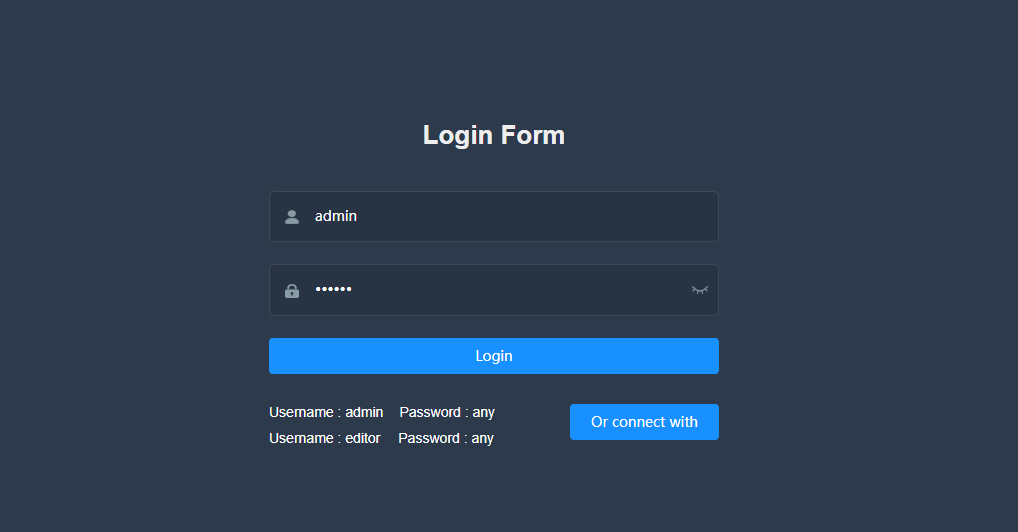
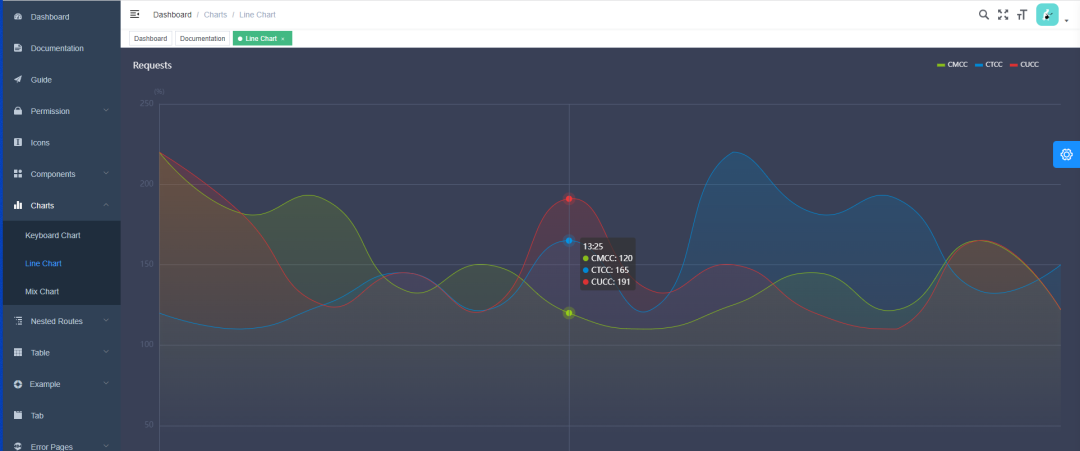
7、运行效果
登录界面
主界面

文章评论